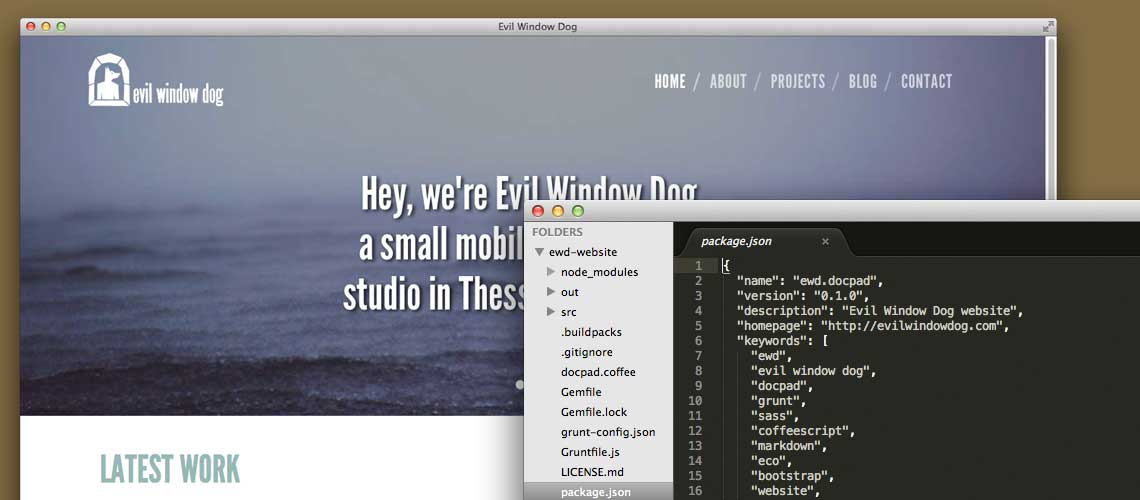
As you can probably see, our updated website is now up & running. We are quite proud of it as it is a lighter, cleaner and overall better looking version of the previous one.
For this project, we decided to use a bunch of new technologies in order to make it easier to maintain & deploy. We have also open sourced the entire website code on Github, just in case you want to use pieces or even the entire backend logic for your own projects!
Our website is pretty small and simple is terms of complexity: six static pages, a Tumblr-powered blog and a couple of forms (Subscription is powered by MailChimp & Contact Form by Wufoo).
In terms of coding this doesn’t look as much, but we decided to take a step further and make it easier for us to change & push code without breaking everything in the process.
Our old process was pretty much what you can imagine: Change the live CSS & HTML files, refresh, see if something breaks up, rise and repeat.
This will might sound OK for a small website but it was quite unacceptable for us so we set out to discover how to create static HTML content the-right-way™.
Enter static website generators
When it comes to static websites, one of the best ways to do it is to use a static website generator. There are a lot of them really, built on languages like Ruby, Python, Node.js or even PHP, so you choose the one you are most familiar with.
The process is pretty much the same: create your website templates using a templating engine, code your CSS/JS natively or by using SASS/LESS & Coffeescript and let the generator do the rest. Some generators are agnostic to the technologies you are going to use, so you can decide whether you want to code your stylesheets in SASS or LESS, install the respective plugin and you are good to go.
We decided to use DocPad, a powerful Node.js based generator, which allowed us to use a number of awesome tools to streamline the creation of our website.
Technologies used
- Bootstrap
When it comes to cross-browser compatibility, you don’t want to reinvent the wheel. Bootstrap 3.0 is one of the best front-end frameworks out there, with built-in support for responsive websites, making it the perfect candidate for evilwindowdog.com
- Sass & Bourbon
Once you go SASS you can never go back, really. Coding our site in SASS made my past self look stupid. Mixins, variables, operators = love from the first sight (or…site?). Add on top of these the awesome Bourbon.io library which removes the pain of vendor specific prefixes by supporting all those cool CSS3 features and you have the best way to code CSS.
Plus, DocPad supports SASS as a preprocessor, so every time you generate/run your site (or even save your SASS using the Live Reload plugin), DocPad creates the new CSS file from your SASS so you don’t have to.
- Coffeescript & Eco
Although we haven’t used Coffeescript extensively, I have to say that I was quite impressed by its clean syntax. Coffeescript logic is also present in Eco (Embedded CoffeeScript templates), which is the default templating language supported by DocPad.
- Grunt.js
Grunt.js is like a swiss-army knife of automation, you can use it for almost everything. In our case, Grunt made the whole concatenate, minify & remove process for our CSS & JS a walk in the park. In other words, if you want to automate anything during your web development process, Grunt is the way to go.
Epilogue
And there you have it! Those are the tools used for the creation of this very website. If you are interested & you want to know more about the code check out the Github repository.
Also don’t forget to subscribe to our mailing list on the footer of the page & follow us on Twitter, Facebook and Google+ :)